
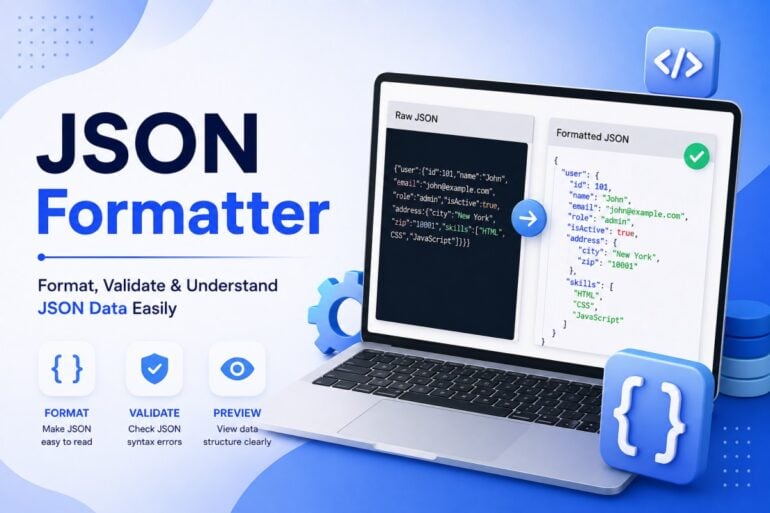
JSON is a popular way to exchange structured data between applications, websites, APIs, and software systems. Its simple syntax makes it convenient for computers, but large JSON responses can quickly become difficult for humans to read.
A JSON Formatter helps turn compact or poorly organized JSON into a clean, structured format. Along with formatting, many tools can validate JSON and help identify syntax errors.
In this guide, we will explore what a JSON formatter does, why it is useful, how to use one, and how it can simplify everyday development tasks.
What Is JSON?
JSON stands for JavaScript Object Notation. It is a lightweight text-based format used to represent structured information.
A simple JSON object may look like this:
{
  "name": "David",
  "age": 32,
  "active": true
}
JSON uses objects, arrays, keys, and values to organize information. It is supported by many programming languages, making it useful for communication between different systems.
JSON is commonly used in:
- REST APIs
- Web applications
- Mobile applications
- Configuration files
- Data exchange
- Cloud services
- Software integrations
What Is a JSON Formatter?
A JSON Formatter is a tool that improves the readability of JSON by adding indentation, spacing, and line breaks.
For example, raw JSON may appear as:
{"user":{"name":"David","email":"david@example.com","roles":["admin","editor"]}}
After formatting:
{
  "user": {
    "name": "David",
    "email": "david@example.com",
    "roles": [
      "admin",
      "editor"
    ]
  }
}
Both versions contain the same information. The formatted version simply makes the hierarchy much easier to understand.
Why Use a JSON Formatter?
The main purpose of JSON formatting is readability, but it can provide several other benefits.
Easier to Read
Indentation makes objects and arrays easier to identify.
Faster Debugging
Developers can quickly inspect nested data and locate unexpected values.
Better API Testing
Formatted API responses are easier to analyze during development.
Simple Data Inspection
Large JSON documents become less intimidating when their structure is clearly displayed.
Improved Documentation
Formatted JSON examples are easier for developers and technical readers to understand.
What Is JSON Validation?
JSON validation checks whether a document follows the correct JSON syntax.
For example, this is valid:
{
  "name": "David",
  "age": 32
}
But this may be invalid:
{
  "name": "David",
  "age": 32,
}
The extra comma after 32 can cause a JSON parser to reject the document.
A tool that combines formatting and validation can help users find these problems before the JSON is used by an application.
JSON Formatter vs JSON Validator
Although these features are often available in the same tool, they are not identical.
JSON Formatter: Makes valid JSON easier to read.
JSON Validator: Checks whether JSON follows the correct syntax.
A formatter focuses on presentation, while a validator focuses on correctness.
Using both features together can make JSON development and troubleshooting more efficient.
How to Format JSON Online
Formatting JSON online usually takes only a few steps.
Step 1: Prepare Your JSON
Copy the JSON data from your application, API response, file, or development environment.
Step 2: Open a JSON Formatter
Use a browser-based JSON formatter.
Step 3: Paste the Data
Insert the JSON into the input section.
Step 4: Format the JSON
Select the format, beautify, or pretty-print option.
Step 5: Check for Errors
If the tool supports validation, review any reported syntax errors.
Step 6: Copy the Result
Use the formatted JSON for debugging, testing, documentation, or development.
Common JSON Syntax Errors
Even a small mistake can make JSON invalid. Some errors occur frequently.
Missing Commas
Properties in an object need to be separated properly.
{
  "name": "David",
  "age": 32
}
Removing the comma between properties can result in a parsing error.
Incorrect Quotation Marks
JSON requires double quotes around strings and property names.
Incorrect:
{'name':'David'}
Correct:
{"name":"David"}
Missing Closing Brackets
An opening object or array must have the appropriate closing character.
Extra Commas
Trailing commas are not allowed in standard JSON.
Incorrect Nesting
Nested objects and arrays must be properly opened and closed.
A validator can make these errors easier to identify.
JSON Formatter for API Responses
APIs frequently use JSON to send information between systems.
An API response may contain several nested sections, including:
- User information
- Product details
- Orders
- Account information
- Metadata
- Pagination details
- Status information
When the response is returned as a single line, it can be difficult to understand.
Formatting separates each object and array, allowing developers to inspect the response more quickly.
JSON Formatter for Developers
Developers can use JSON formatting tools in many parts of their workflow.
API Development
Formatted request and response data can simplify API testing.
Debugging
Developers can inspect unexpected values and nested structures more easily.
Configuration
JSON configuration files become easier to review and maintain.
Data Processing
Formatted JSON can help developers understand the structure of data before processing it.
Technical Documentation
Readable JSON makes API examples and developer guides easier to follow.
What Is JSON Pretty Print?
JSON Pretty Print means displaying JSON with indentation and line breaks.
Consider this compact JSON:
{"company":"Example","employees":[{"name":"John","role":"Developer"},{"name":"Sarah","role":"Designer"}]}
Pretty-printed JSON looks like:
{
  "company": "Example",
  "employees": [
    {
      "name": "John",
      "role": "Developer"
    },
    {
      "name": "Sarah",
      "role": "Designer"
    }
  ]
}
The second version clearly shows that employees is an array containing two objects.
JSON Formatter and JSON Beautifier
You may see several terms when searching for JSON formatting tools:
- JSON Formatter
- JSON Beautifier
- JSON Pretty Printer
- JSON Viewer
- JSON Validator
These tools may provide overlapping features.
A formatter generally focuses on indentation and readability. A beautifier performs a similar task. A validator checks syntax, while a JSON viewer may provide additional ways to navigate large structures.
The available features depend on the specific tool.
Formatted JSON vs Minified JSON
Formatted JSON and minified JSON are useful for different purposes.
Formatted JSON
Formatted JSON contains whitespace and indentation.
It is useful for:
- Debugging
- Development
- Documentation
- Learning
- Manual inspection
Minified JSON
Minified JSON removes unnecessary whitespace.
It may be useful when a compact representation is preferred for transmission or storage.
For example:
{"name":"David","active":true}
is more compact than:
{
  "name": "David",
  "active": true
}
The data itself is the same.
How JSON Formatting Helps With Debugging
Debugging often requires finding where something went wrong inside a response.
Imagine receiving a JSON response containing hundreds of fields. Reading it as one continuous line makes it difficult to identify the relevant section.
A formatter creates visual separation between:
- Parent objects
- Child objects
- Arrays
- Individual properties
- Values
This makes it easier to trace the data structure and spot unexpected results.
Features to Look for in a JSON Formatter
If you regularly work with JSON, consider using a tool that offers useful development features.
Syntax Highlighting
Different JSON elements can be visually distinguished.
Validation
The tool can identify syntax problems.
Error Location
Detailed error messages can make troubleshooting faster.
Tree View
Large JSON structures may be easier to explore through an expandable tree.
Copy Options
The ability to quickly copy formatted output can improve workflow efficiency.
Large File Support
Developers working with large API responses may need tools capable of handling substantial JSON documents.
Is It Safe to Use an Online JSON Formatter?
Online tools are convenient, but users should be careful about the information they submit.
Do not paste confidential information such as:
- Passwords
- API keys
- Authentication tokens
- Customer records
- Private business information
- Sensitive financial data
For confidential JSON, consider using a local development tool or an offline formatter.
Tips for Working With JSON
Follow these practices to avoid common problems:
- Use double quotes for JSON strings.
- Keep objects and arrays properly nested.
- Check every opening and closing bracket.
- Avoid trailing commas.
- Validate JSON before sending it to an API.
- Format large responses before debugging them.
- Keep sensitive information out of public online tools.
- Use consistent indentation when maintaining JSON manually.
Frequently Asked Questions
What does a JSON Formatter do?
A JSON Formatter organizes JSON with indentation and line breaks, making the structure easier to read and understand.
Can a JSON Formatter validate JSON?
Many JSON formatting tools include validation features. These can detect syntax errors and help identify where the JSON is invalid.
What is JSON Beautifier?
JSON Beautifier is another name commonly used for a tool that makes compact JSON easier to read by adding appropriate formatting.
Why should I format API JSON?
API responses can contain large amounts of nested data. Formatting makes objects, arrays, and individual fields easier to inspect.
Does formatting change JSON values?
No. Proper formatting changes whitespace and presentation rather than the actual values stored in the JSON.
Can beginners use a JSON Formatter?
Yes. A formatter can be particularly helpful for beginners because indentation makes JSON objects, arrays, and nesting easier to understand.
Conclusion
A JSON Formatter is a simple yet valuable tool for working with structured data. It can transform compressed JSON into a readable format, make API responses easier to inspect, and simplify the process of troubleshooting syntax and data-structure problems.
Whether you are a developer, tester, student, or someone working with APIs, understanding how to format and validate JSON can make your workflow more efficient.
For the best results, use formatting when you need readability, validation when you need correctness, and always protect confidential information when using online tools.